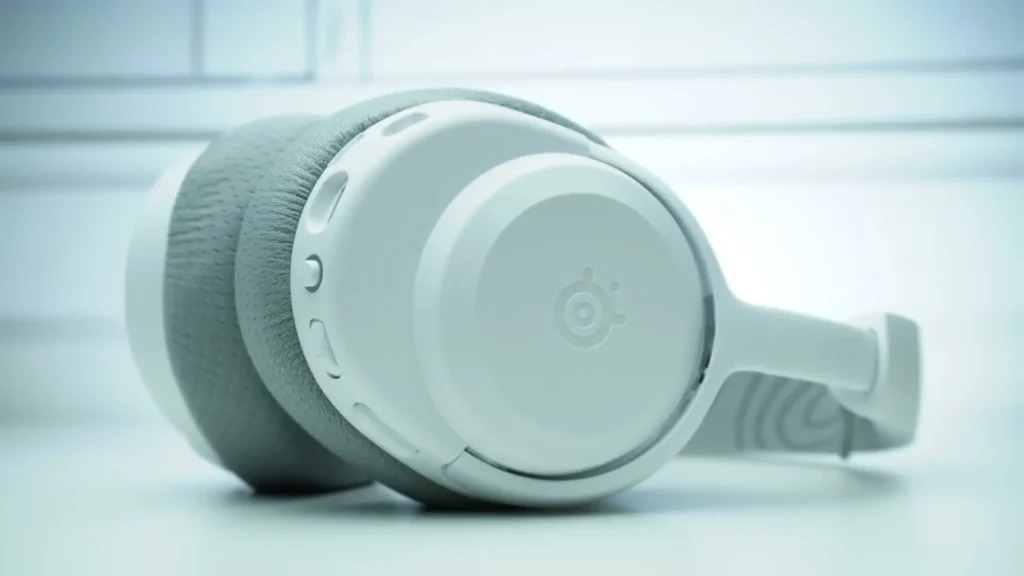
This is the Arctis Nova 3 Wireless. It’s available in a few different colors, of course, including black and white, but also in some new colors called Aqua and Lavender, which also debut with some new peripherals SteelSeries recently launched. This has a launch price of $110 US and it’s available in two variants, the P being the PlayStation version and the X being the Xbox version. So if you see 3X, it will work for Xbox and it also works with all other platforms. The only difference is if you buy the P version, it will not work with Xbox.
Table of Contents
What’s Inside the Box
As far as what’s included in the box, well, it’s not much, but it gets the job done. You have a 1-foot-long USB-C to C cable. You also have a dongle, and this is the new dongle from SteelSeries. It’s significantly smaller than the old one and it’s offset, which is really nice.
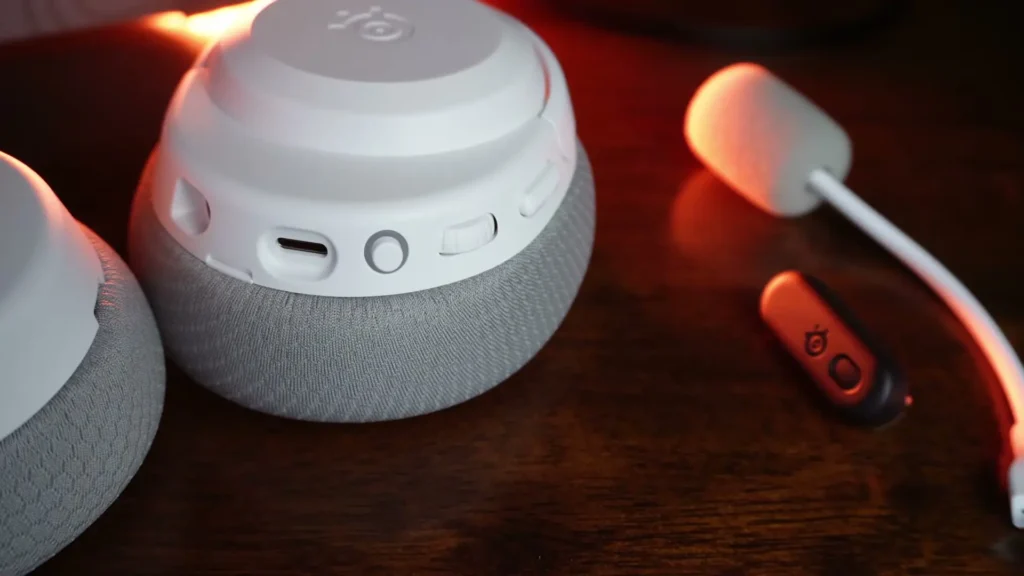
So if you’re plugging this in front of a PlayStation, you’re no longer blocking the adjacent port. It also comes with a USB-A to C adapter, which I think is huge because in the past, a lot of these headsets, both SteelSeries and other brands, would come with a longer USB-A cable and then a female USB port on the other side.
With this adapter, I can plug it directly into the front of my Xbox, my PlayStation, or even in the back. It’s just nicer to not have to deal with an extra cable. On the Xbox version, you can see a switch that says PC and Xbox. Sliding it is pretty obvious what that does. And if you’re playing on PlayStation, just leave it on PC.

How the SteelSeries Nova 3 Compares to Other Nova Models
Normally i compare the current model being featured to other products in a similar price bracket. But in this case, it’s a lot of SteelSeries themselves that the Nova 3 is competing with because they have a lot of Nova headsets now. So I want to address that and help tackle any possible concerns about how it compares to other models.
Nova 3 Wired vs. Nova 3 Wireless
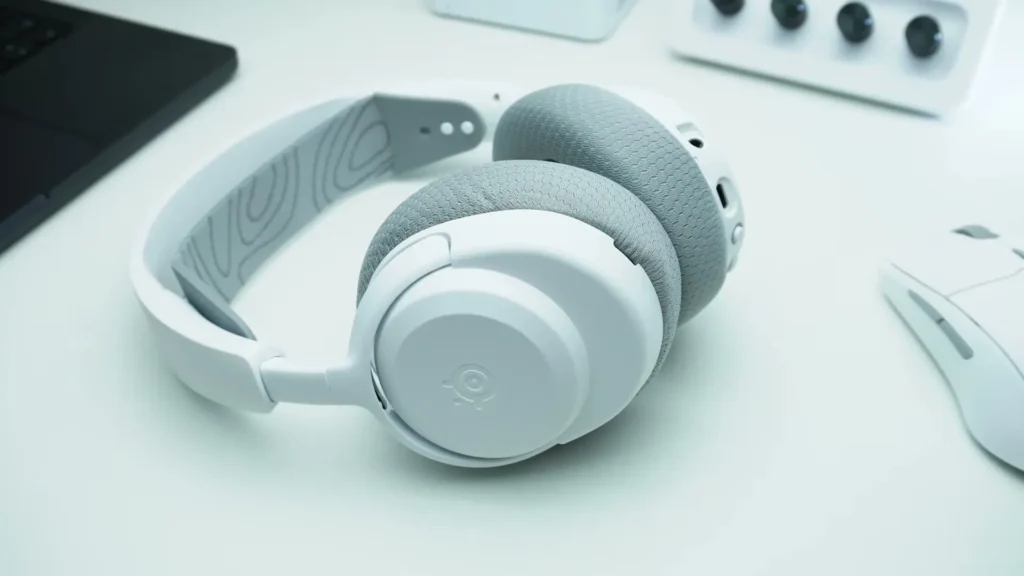
Starting with the Nova 3 Wired, this will help tie in what makes the new Nova 3 Wireless different. On the wired version, it looks a little different because it features RGB when plugged in. It also has a retractable microphone. What’s new about the Nova 3 Wireless is that it comes with a detachable mic, which a lot of people were asking for, so it’s nice to see.
When you look at the controls of the Nova 3 Wireless versus the Wired, it’s a very similar design. Even the USB charge port is in a similar spot, but you have a different wheel arrangement and a new power button.
Also Read: Sendy Audio Apollo Pro Full Review
Nova 3 Wireless vs. Nova 5 Wireless
Then you have the Nova 5 Wireless, which is available in both the X and P versions as well. The Nova 5 gives you a retractable mic. My favorite thing about the Nova 5, which by the way has the exact same headband and plastic headband with the same split yoke that is telescoping so you can size it to fit your head, is that this design has never been an issue for me when it comes to comfort.
I like that they kind of stuck with this. To me, this is their best design for overall durability, adjustability, and comfort. So I’m really happy to see that they kept it with this model.
As far as physical differences go, on the Nova 5 you have a dedicated game to chat mix wheel on the right ear cup, and on the left ear cup you have volume. You also have a quick switch button because this is not simultaneous Bluetooth.
The controls of the Nova 5 are something I genuinely enjoy, and this will be a big sticking point later when I make my suggestions on the Nova 3 Wireless. On the Nova 3 Wireless, there’s no control on the right at all because the left knob actually has a button with multiple functions. I’ll get into the specifics, but in terms of physical changes, that’s what you get with the Nova 5.
Nova 3 Wireless vs. Arctis Nova 7X
Then you have the Arctis Nova 7X, which is an older model but has some things I like a little bit more. It has a metal headband, so it looks and feels really nice. The one thing that some people might not be crazy about is it has a single mounting point on the cup. SteelSeries did address this from the older Arctis series that used to have this issue where some people were breaking their hinges.
They’ve obviously reinforced it because I’ve seen a lot fewer complaints there. This is their more premium design and you also get swappable plates on the outside if you want to customize it beyond the limited edition releases they also have.
Looking at the bottom, you still get the dedicated game to chat mix wheel, but this one has a 3.5mm analog input as well, which is really nice. And of course, you still have the retractable mic that’s found on pretty much all the other Nova models except the new Nova 3 Wireless.
The New Dongle Upgrade
All of the other wireless models before you get into the Pro series have a different dongle. You can see a huge difference in size compared to the new one. The older dongle design was thin and frankly worked really well on Switch handheld, but it almost always blocked an adjacent USB-C port, which I wasn’t too crazy about.
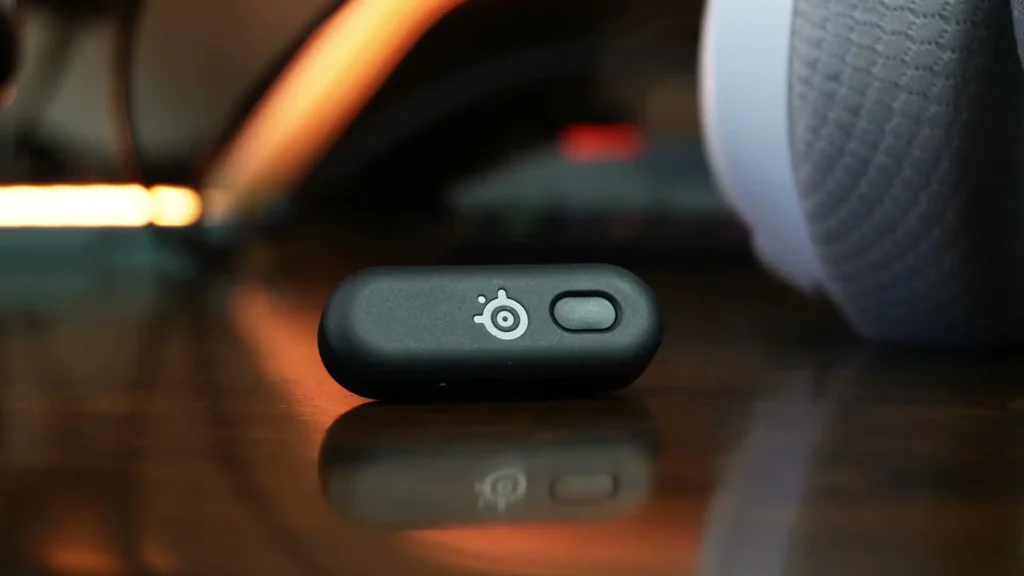
The new offset design solves that completely. With USB-C, you can flip it, there’s a pairing button on top, and you can still access the switch while it’s plugged in. That’s another improvement I genuinely appreciate.
Pricing Breakdown
This whole thing gets more confusing when you start looking at specs and pricing because it’s one thing to have an MSRP of X, but if it’s selling for less on Amazon, that changes how some people consider the value of different models.
The Nova 7 had a retail price of $180, which still outperformed a lot of competitors in terms of value and performance because it has simultaneous Bluetooth. It’s the only one here that allows you to listen to a mobile device via Bluetooth at the same time you are playing with 2.4 GHz mode.
It’s currently selling for $150. The Nova 5 is selling for around $122. And the new Nova 3 Wireless is selling for $110. So why would you consider one over the other? This is exactly why I wanted to focus on this, because the price difference is nearly identical.
Value Comparison
There are a couple of unique pros and cons that I think will quickly sway you in one direction or the other. The Nova 7 is the only one with simultaneous Bluetooth. However, it only has a 10-band EQ that you can save to the headset.
So if you’re playing a lot of console gaming and you really want to customize your sound, it’s not bad to have a 10-band onboard EQ because a lot of other gaming headsets in this price range don’t offer that.
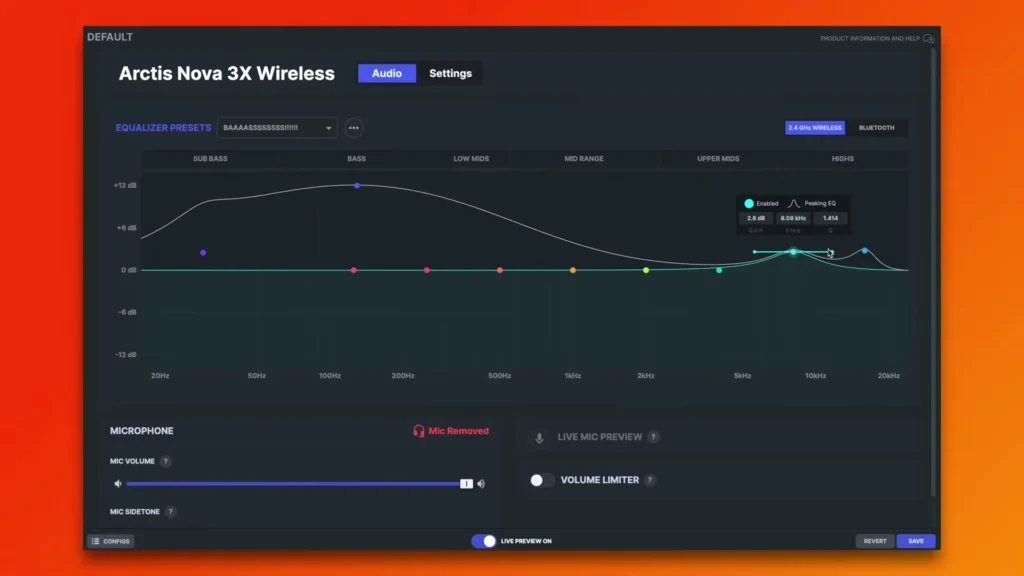
But both the Nova 5 and the Nova 3 have full parametric EQ onboard, allowing you to customize the daylights out of the sound. In addition to that, the Nova 3 and the Nova 5 allow you to use a mobile app with over 200 game presets to fully customize the sound per game.
You also have the ability to make your own presets, save them to the headset, and this is incredibly helpful for console gaming where you don’t have access to all the software that PC players do.
Controls Explained
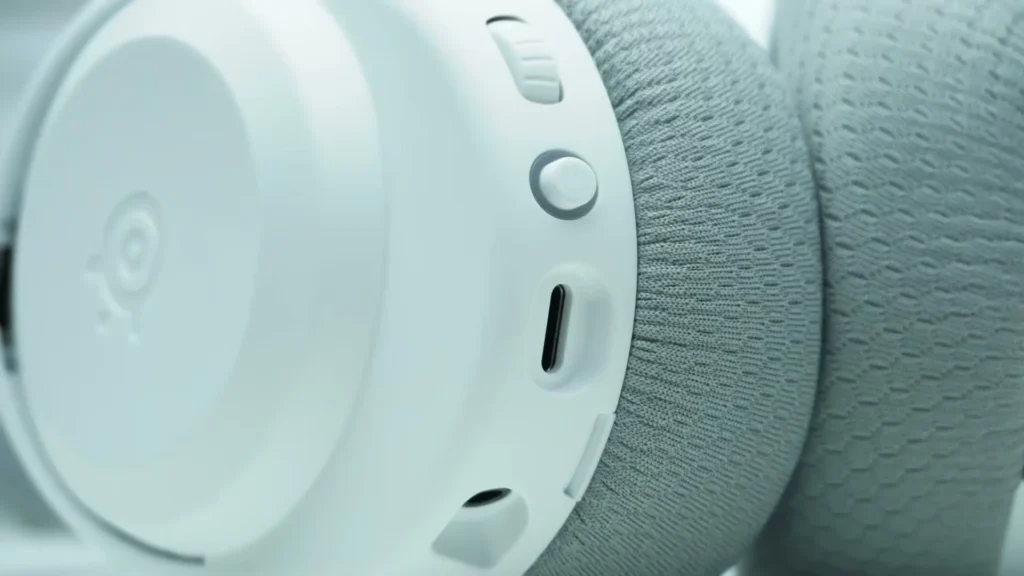
I want to show you the controls at a closer glance. You have a push button switch for the microphone mute. The volume wheel spins indefinitely and it’s a digital clicky volume wheel, very tactile. Then you have a power button that you can press and hold.
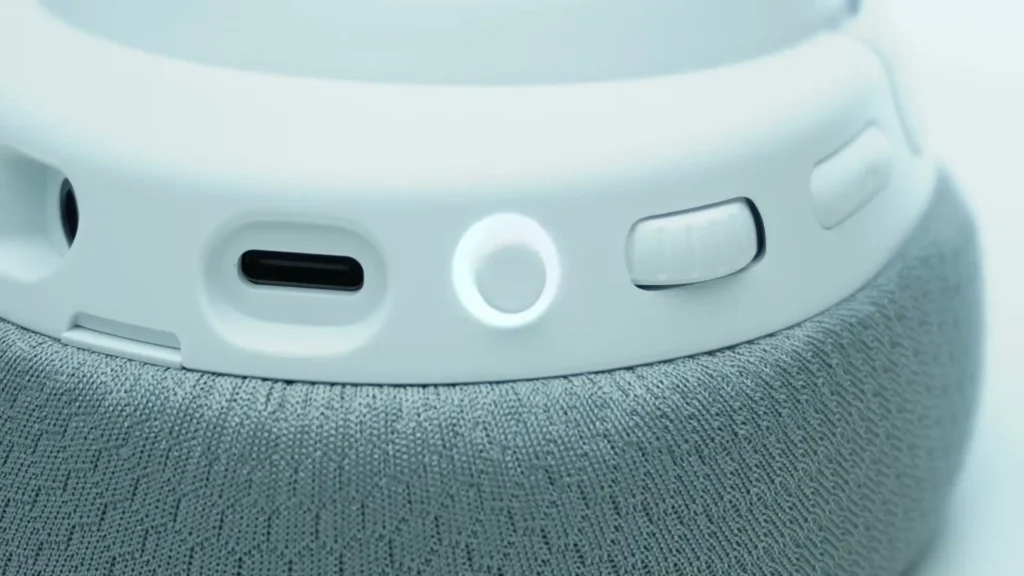
If you press and hold from off when it’s first turning on and don’t let go, it’ll put it in pairing mode. If it’s blinking green, you’re in 2.4 GHz pairing mode. If you tap it while in pairing mode, it’ll switch to Bluetooth pairing mode, allowing you to easily pair it to your phone.
This also has action button support. A single press will answer an incoming call. Double press rejects it. And if you’re listening to music on your PC, tapping the volume wheel will actually stop the media being played, which includes YouTube. There’s a lot of cool functionality here.
Build Quality, Comfort, and Ear Pads
Because this basically uses the same exact pad as all of the other SteelSeries Nova headsets before you get into the Pro Wireless, the dimensions are the same as well, and the dimensions are pretty good. You have a good amount of height and width.
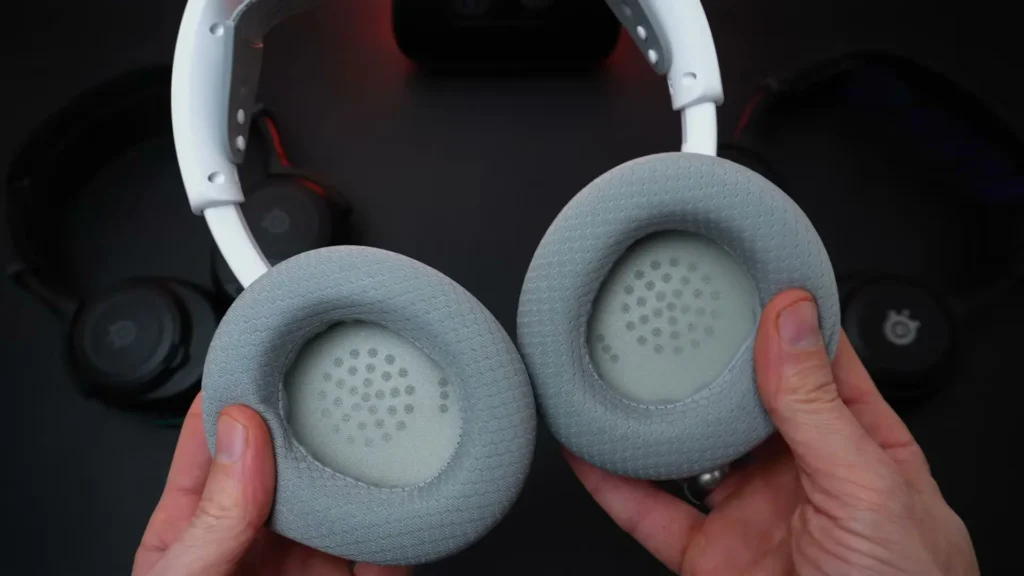
I wish it was a little bit taller because for some ears you might just kiss the bottom of it, but it’s not too bad. The depth is just over 20mm, so depending on how large your ears are, you may just touch the baffle, but overall this is still on the deeper side compared to some other gaming headsets out there.
I do like that they used a sport fabric material. It does feel a little bit scratchier than a leatherette, but it’s much more breathable for long gaming sessions. It’s also much more durable. If you use this for a year or two, there’s a really good chance it will be in much better shape than a comparable model using artificial leather.
Microphone Performance
This is what my voice sounds like on the Nova 3 Wireless. Keep in mind, this is a $110 headset from SteelSeries, which has always made good headsets but wasn’t always known for having the best microphones. For this price, I actually think the microphone performance is quite good.
It sounds cleaner and less compressed than the Corsair HS80 Max, and the older HS80 was kind of known for having good mic quality. So it’s impressive to see how much SteelSeries has caught up and even surpassed some of the more highly rated headsets when it comes to microphone quality.
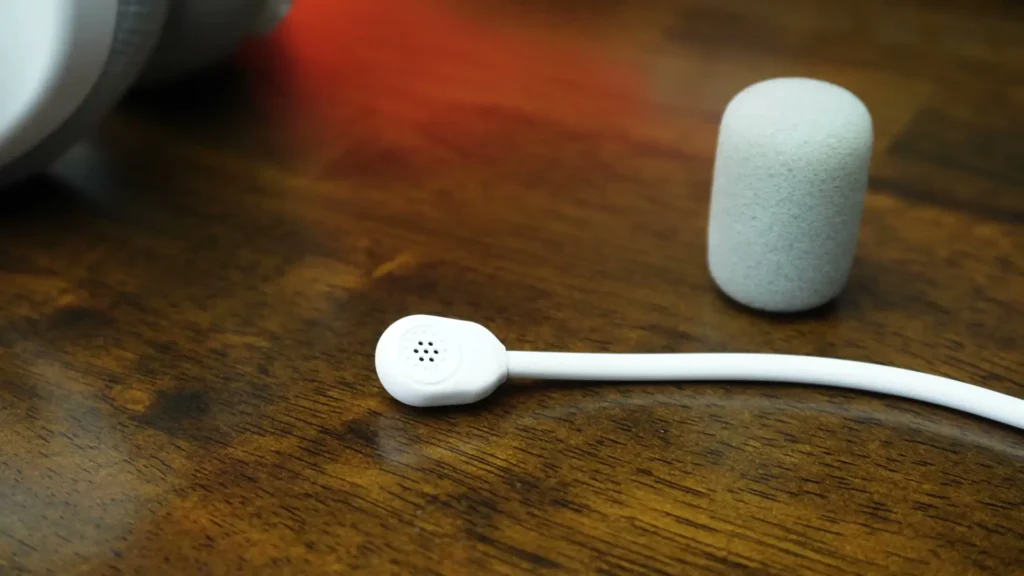
The sidetone on this is actually excellent as well. This is one of the best sidetones you can get, period. It’s real time, it’s crystal clear, and there’s no hiss. The Nova 7, even when you have sidetone turned up just a little bit, you always hear white noise.
The Nova 3 is incredibly transparent. If you crank the sidetone on this, you hear your surroundings almost like an open-back headset, so if you want to be really aware of what’s going on in the background, you can hear everything.
Sound Quality and Frequency Response
Getting into sound quality and starting with the objective side first, which uses my measurement rig, it shows the frequency response of this particular model on a GRS KB-006X. If you look at the frequency response of the Nova 3, there’s nothing gamechanging here because, as I mentioned, it uses the same driver found in the Nova 5.
If you overlay the Nova 5’s frequency response, it’s basically the same line. This is within a margin of error for positional variance on your head. That means all of the EQs I’ve released in the past for SteelSeries, whether you buy aftermarket pads or not, it’s the same frequency response and it’s very easy to customize, especially thanks to the parametric EQ support.
To briefly touch on what this sound signature sounds like out of the box, you have a lot of bass going up past 200 Hz, which makes the headphone sound rather thick and a little bit boxy. It’s definitely more bass prominent, so if you’re chasing a boomy bass sound, this headset will deliver that.
The mid-range is recessed a little in comparison to that bass lift, but the frequency response tuning from 1 to 30,000 Hz is pretty solid. A lot of other gaming headsets in this price range typically don’t pull off this level of tonality. You have a recess at 4 to 5,000 Hz, which can make things sound a little less detailed and clear, but it can also be more relaxing to listen to.
One thing worth pointing out is that even though the Nova 7 uses the same driver and is tuned almost the same way, you can hear a slight difference in the mid-range from 1 to 3,000 Hz where it sounded just slightly more shouty. The biggest difference with the Nova 7 is it had an 8 kHz peak that was noticeably stronger, making it a little sharper for metallic sounds and breaking glass.
EQ Profiles and Customization
When you’ve optimized this to have the best possible sound signature for whatever you’re playing, whether you’re using one of 200 plus presets that SteelSeries keeps adding to, your own presets, or mine, the driver potential really shines. It has a good balance of frequency response and sounds neutral enough to be enjoyable once tuned.
What this lacks in comparison to higher-end headphones is detail retrieval and instrument separation. You can get two headphones to have the exact same frequency response, but that doesn’t mean they’ll sound the same at a technical level.
The Nova Pro and the Nova Pro Wireless have an edge over the 7 series and lower in terms of detail retrieval and separation. They handle more complex scenes better, and that’s what you’re paying for with the Pro Series. The Nova 3 is a casual gaming headset, and when you look at the price of $110, it’s basically outperforming almost everyone.
Specifications Table
| Feature | SteelSeries Arctis Nova 3 Wireless |
|---|---|
| Price | $110 USD |
| Available Colors | Black, White, Aqua, Lavender |
| Platform Variants | Nova 3P (PlayStation), Nova 3X (Xbox) |
| Connection Type | 2.4 GHz Wireless, Bluetooth |
| Simultaneous Bluetooth | No |
| Battery Life (2.4 GHz) | 30 Hours |
| Battery Life (Bluetooth) | 40 Hours |
| Fast Charge | 15 min = 9 Hours of Play |
| Microphone Type | Detachable |
| Microphone Technology | ClearCast 2 |
| EQ Type | Full Parametric EQ |
| Game Presets | 200+ via Mobile App |
| Ear Pad Material | Sport Fabric |
| Ear Cup Depth | 20mm+ |
| Headband | Plastic, Swappable, Adjustable |
| Yoke Design | Split, Telescoping |
| Dongle Type | Compact Offset USB-C |
| USB-A Adapter Included | Yes |
| Charging Cable | 1-Foot USB-C to C |
| App Support | SteelSeries Sonar (PC), Mobile App (Console) |
| Driver | Same as Nova 5 |
| Ear Pad Compatibility | Interchangeable with All Nova Series Pads |
Which Nova Should You Buy?
This was a challenging review because you have a lot of good models competing with each other within SteelSeries alone. My favorite out of all of these right now is the Nova 5, because if you’re sacrificing simultaneous Bluetooth from the Nova 7, then you’re stuck choosing between the Nova 3 and the Nova 5. With the Nova 5, I love having a dedicated game to chat mix wheel for PC and Xbox.
However, if you’re playing primarily on PlayStation, you might be better off just saving the $12 and going with the Nova 3 Wireless. You don’t need the game to chat mix anyway, and you still get all the other benefits including the faster charge time. Both headsets have good enough battery life, so the value overlap is real.
Read More: Skullcandy Aviator 900 ANC Review