The HollyLand Lark A1 is a compact, budget-friendly wireless microphone system designed specifically for smartphone users. This mic comes after HollyLand has already delivered some seriously awesome microphones in the Lark M2, the M2S, and the Max 2. However, this mic is positioned at even more budget-conscious creators with a price point between $35 and $69 depending on which kit you buy. In this review, we’ll cover everything you need to know from what’s included in the kit to real-world sound tests and comparisons, and even highlight a few features that really surprised me.
What Comes in the Box
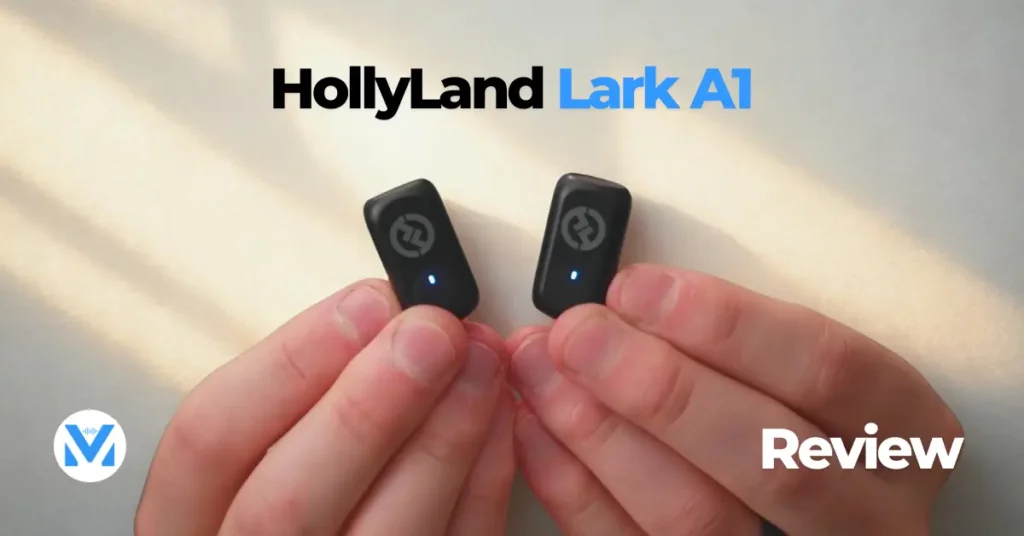
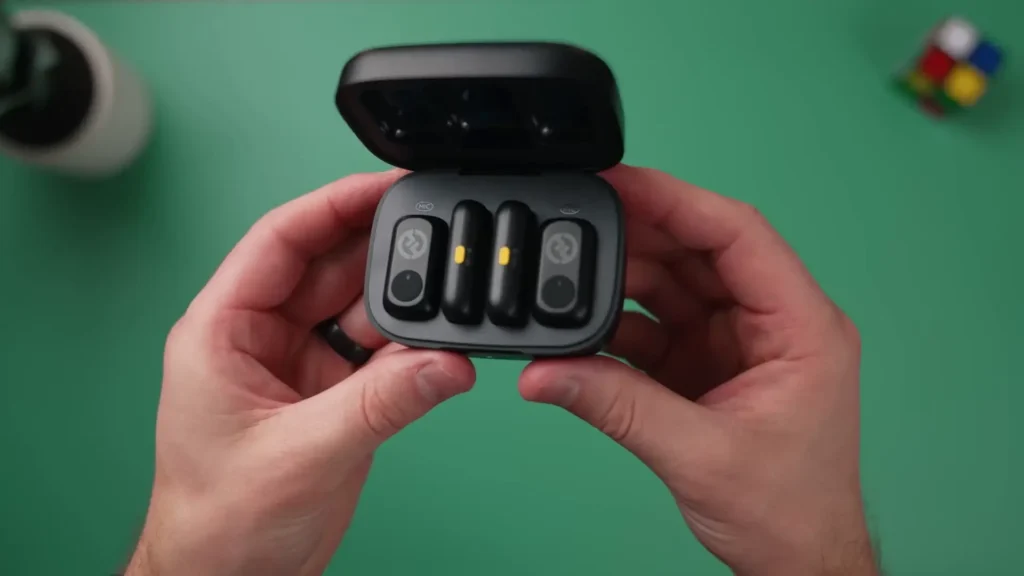
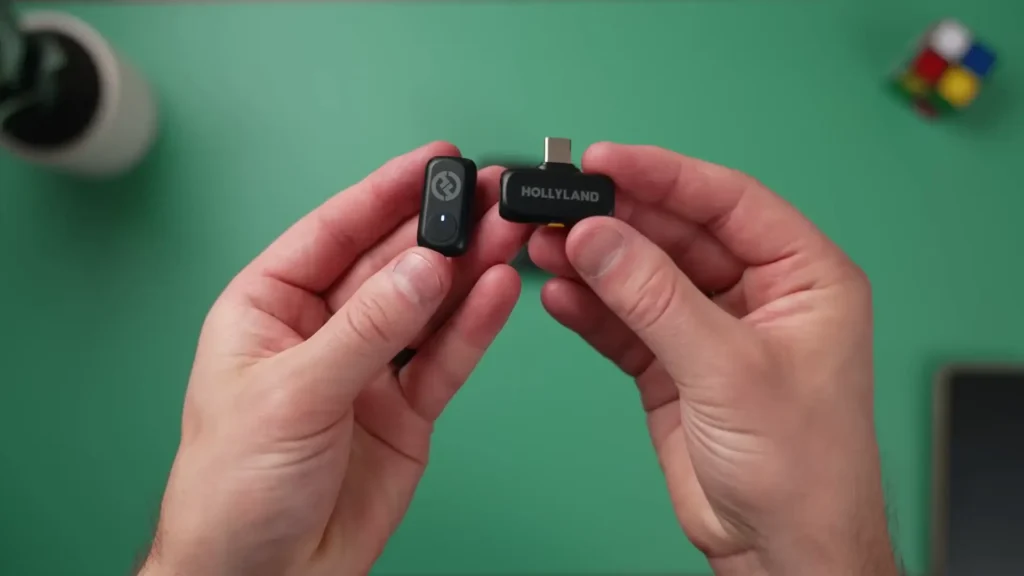
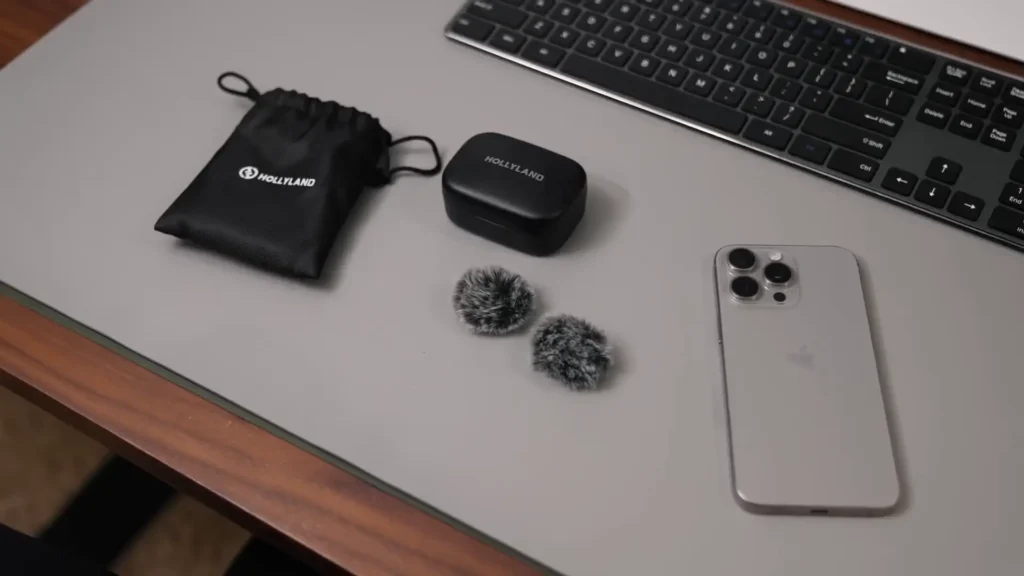
In the box, you’ll get a nice soft carrying case that’s able to fit all the contents of the kit inside. You also get a charging case, and with this variant, we chose the combo kit that includes two wireless receivers and two microphones. The two receivers are for lightning devices as well as USB-C devices. Additionally, you’ll also get a couple of wind screens that you can pair with the microphones.
Setup
Getting these microphones set up is honestly really easy. Just pull out one of the Lark A1 receivers that you want to pair with whatever device you have. In my instance, I have a newer iPhone that uses USB-C, so I’m going to use that USB-C receiver. Just plug that directly into my phone and then pull out whichever one of the microphones I want to use, and pairing happens in just an instant. If I had another person I wanted to record simultaneously, I could actually pull out both receivers and get two audio signals being sent directly to my smartphone.
Sound Quality
Obviously, the most important question with wireless mic systems is how the sound quality of the microphone performs because you want to use this to record your videos. Well, I’m using it right now in my traditional talking head situation in my YouTube studio. Now, I actually don’t have a lot of sound treatment right here in my studio space, so this is a pretty raw and real-world test. If you were working at a desk station and you wanted to record videos, this is how the sound quality would sound, and honestly, I think it sounds pretty good.
Now, I am actually recording on the other wireless microphone as well, not just this one that I have on my person, but I’ve clipped the other microphone right here to my boom arm for my podcasting setup that I use.
LARK A1 vs SM7DB
I’m also recording on the Shure SM7DB, which is a $500 microphone. I’m going to switch over to the audio on this unit now and place that right here on my boom arm. So, now we’ll bounce back and forth between the Shure SM7DB, which is $500, and then the Lark A1, just one of the units. If you divide the cost of this kit in half, that would be the cost of one of these microphones. So, you’re talking like 20 bucks for this microphone. And how does it sound compared to a $500 microphone in this exact situation? I think it’s actually pretty crazy the quality you’re getting for such an affordable microphone.

- ICONIC SOUND, SIMPLIFIED: Built on the same dynamic cartridge and frequency response as the SM7B, the SM7dB delivers the…
- FOCUSED VOCAL ISOLATION: A precision cardioid pickup pattern pairs with air suspension shock isolation to reject backgro…
LARK A1 vs Rode Wireless Pro
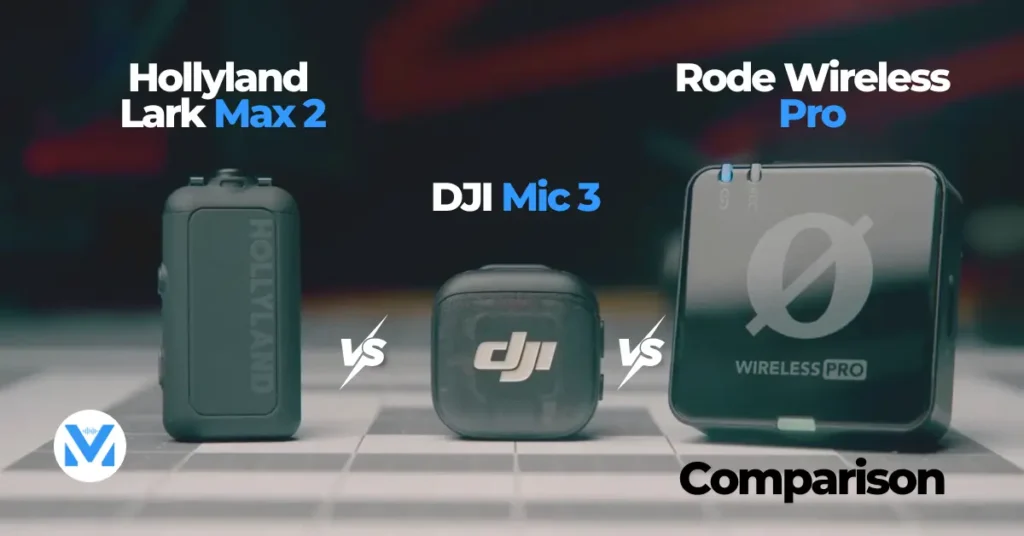
Here’s another comparison between the HollyLand LARK A1 and the Rode Wireless Pro in the same location. The Rode Wireless Pro is like a $400 mic system, and this is way more affordable, the LARK A1. Let me know what you think about how the sound quality compares between these two. Which one do you think sounds better? Let me know down in the comments below.
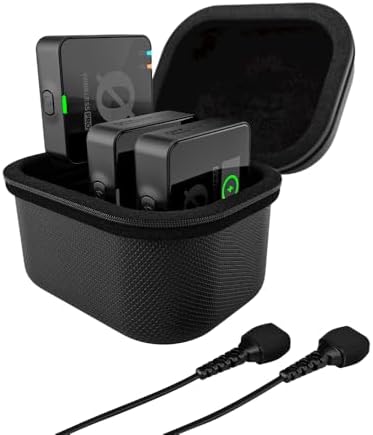
- RODE’s state-of-the-art Series IV 2.4 GHz digital transmission with 128-bit encryption for crystal-clear, incredibly sta…
- Universal compatibility with cameras, smartphones (iOS and Android) and computers (Mac and Windows).
Noise Cancellation Tests
I heard my neighbor pressure washing right over the fence, and there’s also a leaf blower going as well. It’s windy and like 90 degrees outside. So, I’m going to turn on the noise cancellation to do a noise reduction test to see if it can handle a situation even like this. Ready? Turning it on. Now, the noise reduction feature is on. Can you hear the crazy pressure washer and the wind? I mean, the trees are going wild right here above me. Let me know how the noise reduction is. Is this usable still? This is like worst-case scenario.
Transmitter Design and Controls
HollyLand Lark A1 microphones have some physical buttons on them, which are nice to control your smartphone and the microphones in different ways. If you press that button just one time, it will enter cancellation mode, and the LED indicators will turn green. You can actually press this on either the transmitters or the receiver to enable noise cancellation, which is really nice. If you press the microphone button twice, it will mute the microphone or turn it red, and it’s cool that you get that visual to know that the mic actually is muted. If you press that button three times, it will actually start recording on your smartphone.
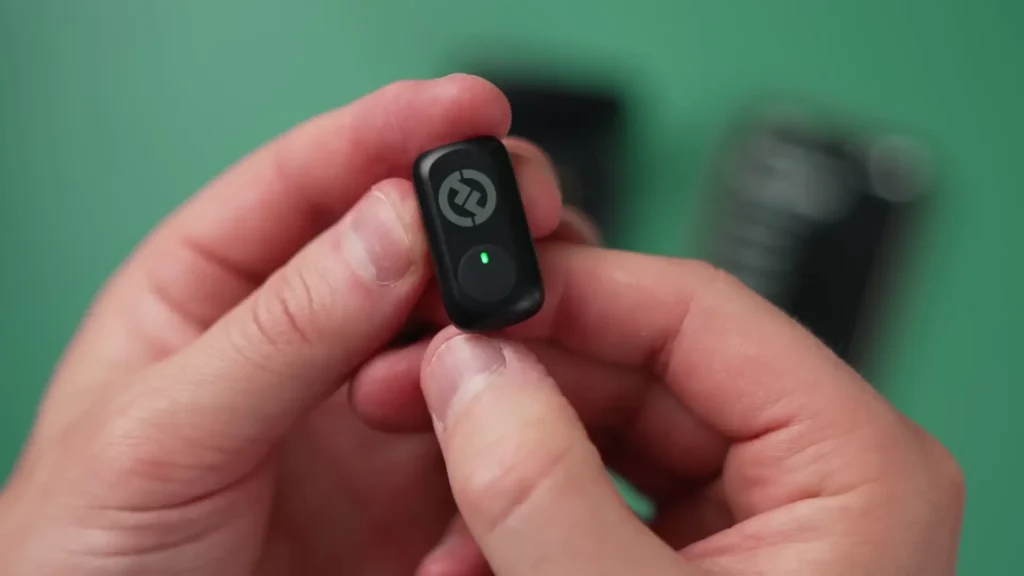
The receivers also have a button on them. You can use that button to power on and off the receivers and also enter pairing mode if you need to pair the mics if they get disconnected for whatever reason. This also allows you to enable noise cancellation like we talked about.
App Features
The LARK A1 system can also be paired with the LARK Sound app for some additional functionality and control over your microphone system. You can see your different audio levels between your two different microphones, so you can make audio adjustments if necessary. You can see right here there’s that volume adjustment that you can go up to level six, which is actually what I have set for the recording of this video. If you’re recording louder sounds, you can reduce that volume if you prefer.
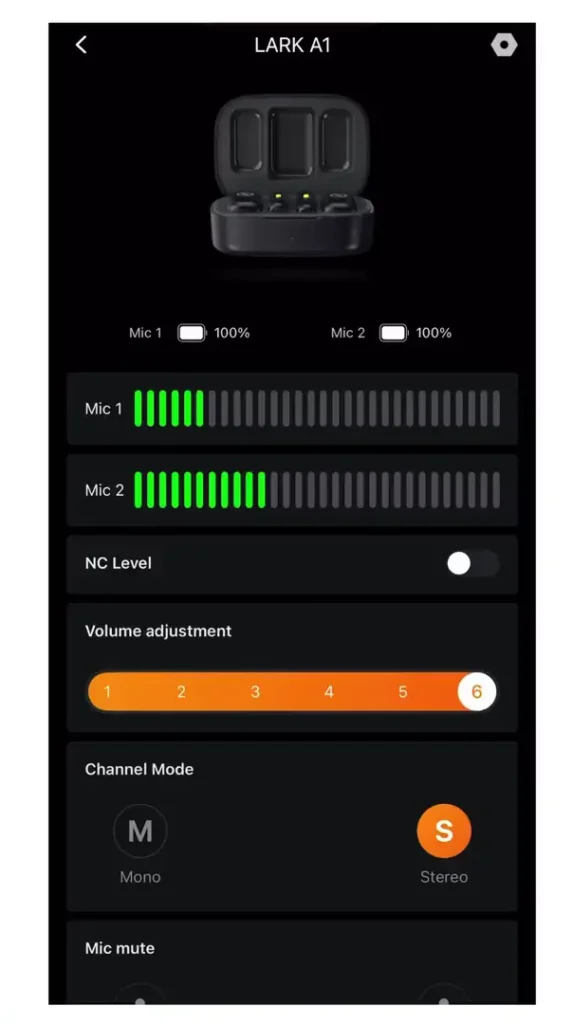
You can also split the audio channels from mono to stereo mode if you want more independent control over each of those microphones. This is actually a really nice feature so that you can independently edit each audio channel. So maybe I was recording on this microphone and I had a guest on another one. I don’t have to merge those audio files together. I can keep them separate and edit them independently.
You can also add a simple EQ adjustment to emphasize the low-end or the higher-end frequencies as well as add a reverb adjustment, which is kind of weird. I wouldn’t really use this reverb feature, but it is there if you want it.
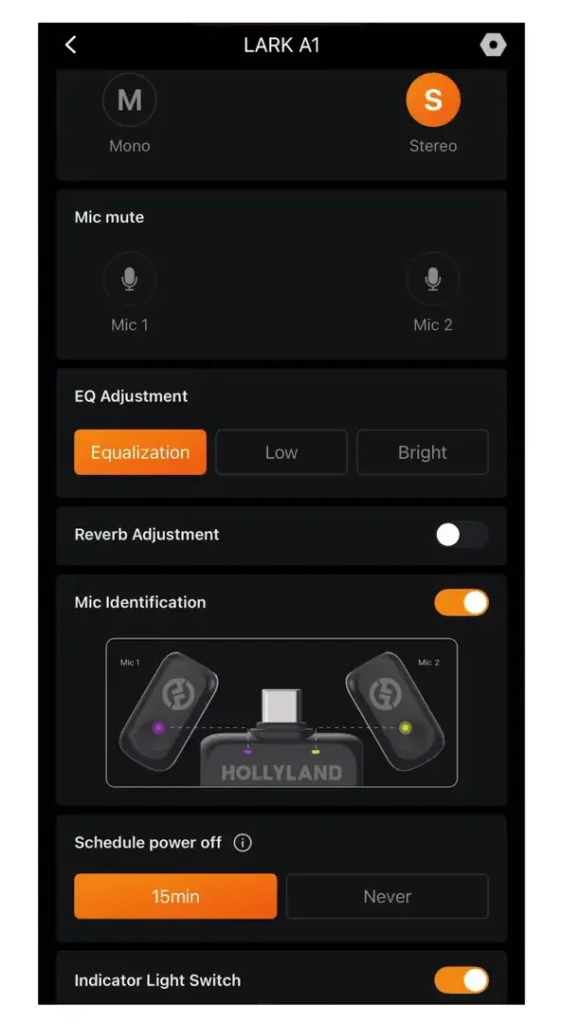
Now, this feature is super cool. It’s a mic identification feature that’s going to change the color of your transmitters so that you know whose is whose. You won’t always have to have them both the same blue color. Maybe you want to use one microphone for yourself consistently and then use the other one for somebody else. You can use this mic identification setting to change the colors of your transmitters.
You can also schedule the system to power off in case you leave the microphones on. If it recognizes that it shouldn’t be on and it’s not being used, it can power off in 15 minutes, or you could just set the setting to never. Finally, if you don’t want those LED indicators on at all, you can turn them off entirely with this indicator light switch.

Other Mic Features
A few other features that I actually really liked first and foremost, the range of this system is wild. It’s up to 200 meters of range, which is line of sight. So you could be 200 meters away that’s like almost two football fields away from your subject and still actually get a transmission signal. Now I know that’s not practical in most regards. You’re not going to be 200 meters away from your smartphone trying to record videos, but it just speaks to the reliability of this mic system and that you’re not going to have a bunch of dropouts when you’re using the system in a normal range.
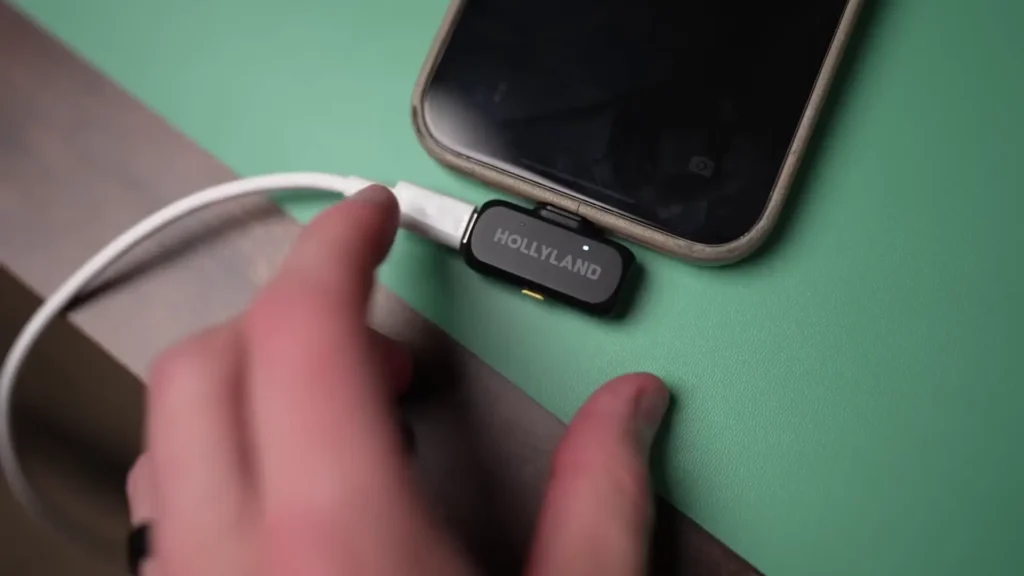
You also get really great battery life at around 9 hours, and then you also have the charging case to recharge those microphones. A really underrated feature of this system is pass-through power on the receiver. This is actually really great and a super uncommon feature, especially for microphones of this price. You can plug in a USB-C cable that delivers power through this little pass-through port on the receiver, so you can be charging your smartphone while still getting high-quality wireless audio and you don’t have to worry about your smartphone dying.
Areas for Improvement
Now, if I had to be super picky, a couple of things that I think could be improved with this system, or at least stuff that you should be aware of: first and foremost, the wind screens that this mic system comes with can’t fit inside the charging case. It’d be really nice not to have to carry around this cloth case just to carry the windscreens. This case is already pretty big, so I’m sure they could figure out a way to fit the windscreens inside of the charging case, and that would save on not having to bring this cloth case as well.
Additionally, I wish there was a 3.5-millimeter adapter for cameras. Right now, I’m recording this video and I’m actually running my audio through my smartphone, and then I have to sync this all up in post-production. This isn’t a huge deal for people who are just smartphone creators, but this mic is really good and I think it could be a really viable option for camera creators as well. I know HollyLand has a variety of different microphones that you can pair with cameras, but this is a really great system. I wish there was some sort of receiver we could pair it with for cameras, but at this point there is not.
Finally, I know I’m kind of dreaming here, but there’s not really an affordable mic solution that allows for onboard recording of audio files. So, let’s say my audio signal dropped out for any reason. If I could have a backup audio file on the unit themselves, that would be outstanding. Now, I know it’s not really feasible at a price point like this and the size of this microphone. It’s hard to fit in a memory storage device inside of a unit like this. But if HollyLand can figure it out, maybe it’s not this microphone, but maybe it’s another iteration of one of their more affordable microphones in the future.
Who Is This Mic System For?
So, who is this HollyLand Lark A1 for? I think first and foremost, it’s obviously for smartphone creators out there. Even if you film full-length YouTube videos but you’re using your smartphone and you want to upgrade your audio quality from whatever built-in microphone you might be using on your smartphone, this is a great entry point for you.
It’s also great for social media creators. If you’re a vertical content creator making TikTok videos, Instagram reels, Facebook content, or even stories on Instagram, it’s a really easy plug-and-play solution to elevate the audio of your Instagram stories to connect with your audience a lot better.
Table of Contents
Article Summary
So, to wrap this up, is the HollyLand Lark A1 worth it? I would say absolutely yes. I think it’s a great solution for budget-minded creators. It’s full of a lot of great features, has really good sound quality, and is at a really affordable price.
Read More: Hollyland Lark M2 vs DJI Mic Mini